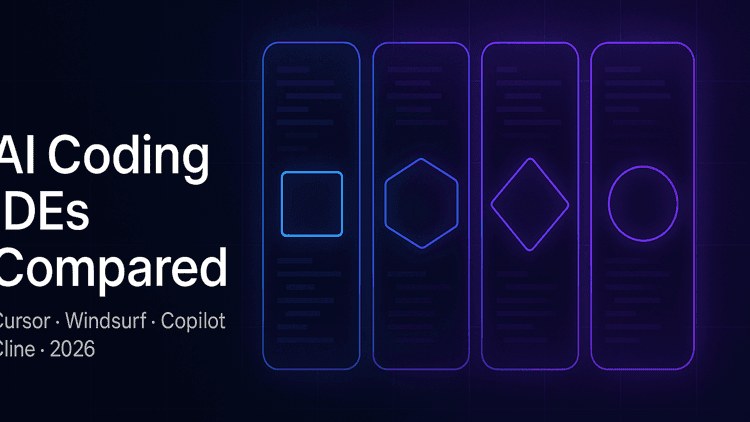
Cursor vs Windsurf vs GitHub Copilot vs Cline: 2026 AI Coding IDE Comparison
TL;DR
Four tools now dominate the AI coding IDE conversation, and each solves a different problem. Cursor is the model-agnostic power tool for individual developers and small teams that want the fastest agentic loop. Windsurf goes deeper on multi-file agentic edits and appeals to teams shipping larger refactors. GitHub Copilot is the safest enterprise pick with the tightest Microsoft and Azure integration. Cline is the open-source, bring-your-own-model option for teams that need self-hosted or private inference. If you standardize on one, pick by workflow, not by hype.
Why the AI coding IDE landscape shifted in 2026
The category looked settled a year ago. Copilot was the default, Cursor was the enthusiast pick, and everything else was noise. That changed twice in 2026. First, the frontier models got materially better at long-horizon coding tasks: GPT-5 and Claude Opus 4.x can now hold multi-file plans in context and reason across a large codebase in a single pass, which pushed every IDE toward "agent mode" as a first-class feature rather than a demo. Second, the buyer profile split. Individual developers optimize for iteration speed and model choice. Engineering leaders optimize for security posture, audit trails, and per-seat cost across hundreds of developers. No single tool wins both jobs, which is why the four vendors below have converged on distinct positioning rather than fighting for the same buyer. If you evaluated these tools in 2025 and picked one, the differences are large enough in 2026 to be worth a fresh look.
Cursor
What it is
Cursor is an AI-first fork of VS Code from Anysphere, VC-backed and positioned as the flagship "AI editor." It is model-agnostic: you can route requests to Anthropic, OpenAI, or your own key, and it exposes both an inline completion mode and a Composer / Agent mode for multi-file work. Pricing sits at roughly $20 per month for the Pro tier, with a Business tier for teams that need SSO and privacy controls.
Where it wins
Cursor has the smoothest single-developer loop in the category. The Composer flow lets you describe a change in natural language, watch the agent draft a diff across several files, and accept or reject hunks individually. Model switching is a first-class feature, so when a new frontier model ships you get access within days rather than waiting for a vendor to certify it. The tab-completion model is trained specifically for code and is genuinely faster than generic autocomplete.
Where it loses
Enterprise controls are still catching up. Audit logs, granular permissions, and detailed data-residency guarantees exist but are less mature than Copilot's. The pricing model can surprise teams that hit the fast-request cap and get throttled onto slower requests mid-sprint. And because Cursor forks VS Code, extension compatibility is generally good but not perfect, especially with enterprise plugins that assume the official Microsoft build.
Best for
Solo developers, startup engineering teams up to roughly 20 people, and any team where individual iteration speed matters more than centralized governance.
Windsurf
What it is
Windsurf is Codeium's IDE, spun out as a distinct product to house the Cascade agentic mode. Like Cursor, it is a VS Code derivative, but the product bet is different: rather than optimizing the inline loop, Windsurf leans hard into deep, multi-file agent runs where you hand off a larger task and review the resulting diff. Pro pricing sits around $15 per month per user, with team and enterprise tiers above that.
Where it wins
Cascade is the standout feature. When you ask for a change that touches ten files, Windsurf's agent tends to keep the whole picture coherent, updating imports, tests, and related helpers in one pass rather than requiring you to babysit each file. Codeium's enterprise pedigree also shows: self-hosted deployment, on-prem model options, and FedRAMP-adjacent controls exist for teams that need them. Free-tier limits are also more generous than most competitors.
Where it loses
The inline completion experience is less polished than Cursor's, and the agent's "do more per turn" philosophy occasionally overshoots on small tasks where you wanted a two-line edit and got a fifty-line refactor. Model selection is more curated than Cursor, which is a plus for stability and a minus for developers who want to A/B the latest frontier release the day it drops.
Best for
Small-to-mid engineering teams (10 to 100 developers) doing meaningful refactor work, and organizations that want agentic capability alongside enterprise deployment options without building on Microsoft's stack.
GitHub Copilot
What it is
GitHub Copilot is the incumbent, backed by Microsoft and originally powered by OpenAI, now with multi-model support that includes Anthropic and Google. It ships as an extension inside VS Code, JetBrains IDEs, Visual Studio, and Neovim, and integrates with GitHub itself through Copilot Workspace and the agent features rolled out through 2026. Individual pricing starts around $10 per month, with Business and Enterprise tiers layering on policy and audit features.
Where it wins
Copilot is the safe enterprise choice, and that matters. Procurement teams already have Microsoft contracts, security reviews are largely pre-done, and the audit trail, data-handling, and SSO story is the most mature in the category. Copilot Workspace lets you go from an issue to a proposed pull request without leaving GitHub, which is a genuinely different workflow from local IDE-based agents. Language coverage is broad and consistent because the training and evaluation pipelines are the most heavily resourced in the space.
Where it loses
The IDE experience feels a step behind the AI-first entrants. Because Copilot ships as an extension into an editor Microsoft does not fully control the update cadence of (outside VS Code itself), some agentic features roll out unevenly. Model choice is expanding but still curated, and enthusiasts often find Cursor or Windsurf faster for the raw "describe a change, get a diff" loop. Pricing at the Enterprise tier can climb quickly once you add the Autofix and advanced security bundles.
Best for
Any organization already standardized on GitHub and Microsoft tooling, especially mid-market and enterprise engineering groups where procurement, security review, and predictable governance outweigh raw feature velocity.
Cline
What it is
Cline is an open-source VS Code extension that turns your editor into an agentic coding environment while leaving you fully in control of the model. There is no bundled inference: you bring your own API key for Claude, GPT, DeepSeek, a local Ollama endpoint, or a self-hosted model behind your firewall. The extension itself is free, and your only cost is the tokens you spend with whichever provider you pick.
Where it wins
Cline is the honest answer for teams that either cannot send code to third-party SaaS or want to avoid vendor lock-in on principle. It runs entirely inside standard VS Code, so extension compatibility is a non-issue. The transparency is also unusual for the category: you can read the prompts, tweak the system message, and audit exactly what leaves your machine. For teams running local models on internal infrastructure, Cline is often the shortest path from "we have a model" to "developers can use it in their editor."
Where it loses
It is not a turnkey product. Cost management is on you, model routing is on you, and the polish that Cursor and Windsurf ship out of the box (nice diff review UI, snappy inline completion, seamless multi-model handoff) is thinner in Cline. You are trading convenience for control, and that trade is only right for teams who value the control.
Best for
Security-sensitive teams, regulated industries, developers already running local or private-cloud models, and organizations that want a fallback if any single vendor changes terms.
Head-to-head comparison
Dimension | Cursor | Windsurf | GitHub Copilot | Cline
Pricing (Pro tier) | ~$20 / user / month | ~$15 / user / month | ~$10 / user / month (Business higher) | Free extension, pay for tokens
LLM support | Broad, model-agnostic + BYO key | Curated multi-model | Multi-model, Microsoft-curated | Full BYO, any API or local model
Agent mode | Composer / Agent | Cascade (deep multi-file focus) | Copilot Workspace + Agents | Native agent loop, transparent
Multi-file edits | Strong | Strongest of the four | Solid, tied to GitHub workflow | Solid, depends on chosen model
Enterprise features | Maturing (SSO, privacy modes) | Strong (SSO, on-prem options) | Most mature (audit, DLP, policy) | DIY, depends on your infra
On-prem / self-hosted | Limited | Available on enterprise tiers | Limited, mostly cloud | Native, any local model works
IDE base | VS Code fork | VS Code fork | Extension (VS Code, JetBrains, VS) | Extension (VS Code)
Learning curve | Low | Low-to-medium | Very low | Medium (you configure the stack)
Language coverage | Broad, best on JS/TS, Python, Go | Broad, strong on large codebases | Broadest, most consistent | As broad as your chosen model
Community / ecosystem | Fast-growing, enthusiast-heavy | Growing, enterprise-leaning | Largest, mainstream | Active open-source, self-hoster focused
Four scenarios, four picks
Solo developer on a small project. Cursor. The Composer loop is the fastest way to go from idea to working code, the price is manageable, and you get access to whatever frontier model shipped this week without waiting for a procurement cycle.
Small startup team, 5 to 10 developers. Cursor or Windsurf, and it depends on the work. If your team is shipping features against a clean codebase and iteration speed dominates, Cursor. If you are inheriting a legacy repo and doing meaningful refactor work, Windsurf's Cascade tends to keep multi-file changes coherent with less babysitting.
Mid-market engineering, 20 to 100 developers with some compliance load. Windsurf or GitHub Copilot. Windsurf if you want strong agentic capability with flexible deployment and a lighter procurement footprint. Copilot if you are already on GitHub Enterprise and want the audit story to be the vendor's problem, not yours.
Enterprise, 500+ developers with strict security or on-prem needs. GitHub Copilot as the default, with Cline as the escape hatch for teams that cannot send code externally. Copilot wins on governance, audit, and the fact that your security team has likely already reviewed Microsoft. Cline covers the regulated pockets (financial services, defense, health) where nothing leaves the perimeter.
The five evaluation criteria that matter in 2026
- Pricing model, not sticker price. Read the fast-request caps and the fair-use policy. A $20 tool that throttles you mid-sprint is more expensive than a $30 tool that does not.
- Effective context window. Advertised context lengths and useful context lengths are not the same. Test on your actual repo size before you commit.
- Agent capability on your workflow. A great agent on a greenfield TODO app can be mediocre on a ten-year-old monolith. Run the same real ticket through each tool.
- Security and data handling. Where does your code go, who can see it, how long is it retained, and can you turn training off? Get answers in writing.
- Team collaboration. Shared prompts, shared rules files, seat management, and usage analytics matter once you get past five developers. Solo-focused tools fall apart at scale.
Common pitfalls when picking
- Picking by hype, not workflow fit. The tool your favorite YouTuber uses may be wrong for your team. Match to the work you actually do.
- Ignoring team-collaboration features. Individual productivity tools do not automatically become team tools. Rules files, shared context, and seat controls are load-bearing above ten developers.
- Skipping the security review for on-prem needs. If any part of your codebase cannot leave your perimeter, decide that first. It eliminates most of the market and shortens the evaluation.
- Not testing on your actual codebase. Vendor demos live on toy repos. Your monorepo is not a toy repo. Insist on a trial that touches real code.
- Over-indexing on benchmarks. Public coding benchmarks are useful but noisy. The tool that scores highest on SWE-bench may not be the one that fits your language, framework, and review culture.
What Internative uses
We run a hybrid workflow rather than standardizing on a single vendor. Cursor is our primary editor for greenfield product work because the Composer loop is the fastest, GitHub Copilot lives inside the IDEs where the rest of the team already works, and Cline is on standby for engagements where a client's code cannot leave their infrastructure. The point is not that any single tool is best; the point is that the right AI coding stack in 2026 is usually two or three tools chosen for the job, not one tool chosen for the logo.
FAQ
What is the difference between Cursor and Windsurf? Both are VS Code forks with agentic modes, but they optimize for different loops. Cursor is faster for inline, single-file iteration and gives you more freedom to switch frontier models. Windsurf's Cascade goes deeper on multi-file agent runs and tends to keep large refactors coherent with less intervention.
Is GitHub Copilot still the best choice for enterprise? For most enterprises, yes. The security, audit, and procurement story is the most mature, and integration with GitHub Enterprise is unmatched. That said, teams with strict on-prem requirements or a preference for non-Microsoft stacks should also evaluate Windsurf enterprise tiers and Cline with self-hosted models.
Can I use an open-source AI IDE with self-hosted models? Yes. Cline is the clearest example: install the VS Code extension, point it at an Ollama endpoint or your own inference server, and no code leaves your infrastructure. Several smaller open-source projects offer similar setups, but Cline currently has the widest model and provider coverage.
How much does an AI coding IDE cost per developer? List prices in 2026 sit roughly between $10 and $40 per developer per month for individual and business tiers. Enterprise tiers with policy, audit, and advanced security features push higher. Add token costs on top if you bring your own model. Budget realistically for usage-based overages, which often exceed the base subscription.
Do these tools work with all programming languages equally? No. All four are strongest on JavaScript, TypeScript, Python, and Go, and progressively weaker on niche or older stacks. Copilot has the most consistent broad-language coverage. Cursor and Windsurf perform best where the underlying model performs best. Cline inherits the strengths and weaknesses of whichever model you plug in.
What is agentic coding mode? Agentic mode is when the IDE takes a natural-language task, plans a series of steps, edits multiple files, and often runs commands or tests on your behalf, then presents a diff for review. It is different from inline autocomplete, which only suggests the next few tokens. All four tools in this comparison now offer some form of agentic mode.
Should I standardize my team on one AI IDE? Not necessarily. Standardizing simplifies billing, training, and rules-file sharing, which matters at scale. But allowing two or three sanctioned tools is often the right call because different workflows genuinely favor different products. Pick a primary, allow a secondary, and revisit every six months.
What comes after Cursor, Windsurf, and Copilot? The next shift is likely toward IDEs that treat the agent as the default interface, with the editor as a review surface rather than the primary workspace. Expect deeper integration with issue trackers, CI, and code review pipelines, and expect the line between "coding IDE" and "software engineering agent" to keep blurring through the rest of 2026.
Related reading
- LangGraph vs CrewAI: which agent framework fits your team, and when to pick each.
- LangChain vs LlamaIndex: choosing the right foundation for retrieval-augmented and agentic apps.
If you are evaluating an AI coding stack for your engineering team and want a second opinion grounded in real deployments, Internative works with product and engineering leaders on AI operations layers that sit above the IDE. Get in touch and we will share what we have learned from our own hybrid setup.
Keep reading
More articles from Blog.