Gemma 4 in Production: Cloud vs Self-Hosted vLLM Deployment Guide (2026)
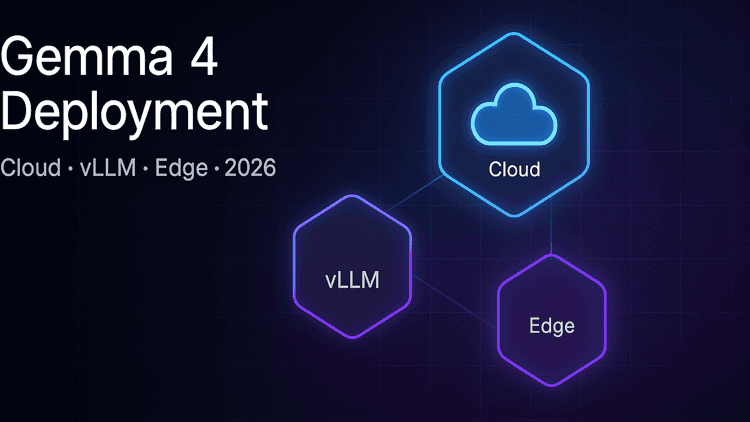
Google DeepMind released Gemma 4 in April 2026 as four open-weight model variants under Apache 2.0. Every Gemma 4 model runs on the same unmodified weights whether you serve them through Google AI Studio, rent them on Vertex AI, pin them to your own GPU through vLLM, or ship them to an Android device with AICore. That freedom is the interesting part. The hard part is choosing the right deployment pattern for your workload, and getting the trade-off right between latency, cost, data sovereignty, and operational complexity.
This guide walks through the four Gemma 4 deployment patterns with real benchmark numbers, pricing math, and a decision matrix we use with clients at Internative when they plan open-model AI integration.
What's new in Gemma 4
Gemma 4 is Google DeepMind's April 2026 open-weight model family. Four variants:
- 2B parameters — for on-device and edge, audio input support, up to 4× faster inference and up to 60% less battery drain than Gemma 3 on mobile benchmarks.
- 4B parameters — the sweet spot for single-GPU desktop inference and on-device with a little more headroom.
- 26B MoE (mixture-of-experts) — 26 billion total parameters, only 3.8 billion activated per token. This is the latency king: the Arena AI leaderboard ranks this variant at #6 among all open models, outperforming dense models with 20× more parameters.
- 31B Dense — every parameter active for every token. The quality king: #3 on the Arena AI text leaderboard among all open models.
Shared capabilities across the family:
- 256K context window — native, not retrofitted through rope-scaling tricks.
- Native multimodal — vision (image input) is universal across variants; audio input is available on the 2B and 4B models.
- 140+ language fluency — not just comprehension, generation-quality output.
- Agentic workflows — tool use, function calling, and planning loops are first-class capabilities.
- Apache 2.0 license — full commercial freedom, derivative weights allowed, no royalty obligation.
The Apache 2.0 license is the strategic piece. You can fine-tune Gemma 4 on proprietary data, keep the resulting weights private, and ship them in a commercial product without paying any royalty. No usage telemetry. No model-access sublicensing. You own the output.
Architecture — Dense vs MoE (pick your lane)
The 31B Dense and 26B MoE variants are positioned to answer two different questions:
"I need the best possible answer for every request."
→ 31B Dense. Every weight contributes to every token. Quality is highest, but so are cost-per-token and single-request latency.
"I need the best possible answer within a latency budget, at scale."
→ 26B MoE. For each token a gating network activates 3.8 billion parameters out of 26 billion total. Compute per token drops proportionally. Throughput and time-to-first-token improve meaningfully, with a small quality gap versus the 31B dense.
A useful rule of thumb:
- Interactive chat, real-time agents, high-concurrency inference → 26B MoE. The latency profile changes the product feel.
- Code review, synthesis over long documents, analytical reports → 31B Dense. Quality dominates and single-request latency is acceptable.
- Mobile, offline, privacy-critical → 2B / 4B on device.
You can serve Dense and MoE variants from the same deployment with the same client library — the weights are swapped server-side, no API contract change. That matters for a progressive migration: start with Dense for quality, promote individual endpoints to MoE as you validate parity.
Deployment Option A — Google AI Studio (fastest POC)
Google AI Studio is the browser-hosted playground plus API surface. Gemma 4 is available there from day one.
When it fits:
- Proof-of-concept in a day.
- Individual developer or small team.
- No compliance constraints.
- Variable, unpredictable traffic.
The economics: Google AI Studio usage is free in available regions, rate-limited. For a prototype you'll rarely hit the ceiling.
The trade-offs:
- No SLA, no VPC controls, no data residency guarantee.
- Regional availability limits that may exclude production markets.
- The free tier's terms can be renegotiated — do not stake a production roadmap on "free".
The pattern that works well in practice: AI Studio for the first two weeks to validate the product idea, then move to Vertex AI or self-hosted by week three once the traffic curve clarifies.
Deployment Option B — Vertex AI (enterprise managed)
Vertex AI is the commercial, enterprise-grade path. Same weights, same inference engine, different surrounding commitments.
When it fits:
- Production traffic with SLA requirements.
- Regulated industries (finance, healthcare, government).
- Data residency obligations (GDPR, KVKK, SOC 2, HIPAA-aligned workloads).
- Integration with existing Google Cloud workloads (BigQuery, IAM, Cloud Storage, VPC).
The economics: Vertex AI prices Gemma 4 26B MoE at $0.13 per million tokens (blended input/output), making it one of the cheapest production-grade managed LLMs in the market as of Q2 2026. The 31B Dense is priced slightly higher. Additional costs apply for features like grounding with Google Search, managed fine-tuning, model evaluation, and of course any underlying Google Cloud infrastructure (serverless endpoints, custom containers, VPC Service Controls).
Pros:
- VPC Service Controls enforce data-boundary guarantees.
- Managed fine-tuning with your own dataset, weights stay in your project.
- Hourly SLA, support contract, compliance attestations.
- Same
google-genaiSDK as AI Studio — code portability across both platforms with no rewrites.
Cons:
- Per-token pricing at scale becomes the dominant cost line; easy to forget until month-end.
- Region availability narrower than AI Studio in the early months after launch.
- Vendor lock-in to Google Cloud for surrounding services like IAM and VPC.
For regulated or high-volume use cases, Vertex AI is often the right first production step. For teams that need deeper cloud architecture and migration work, Vertex plugs into an existing Google Cloud estate without much friction.
Deployment Option C — Self-hosted vLLM (ownership)
vLLM is the open-source inference server that has become the default for production self-hosting. Gemma 4 has first-class vLLM support from day one, with recipes and reference configurations published alongside the model release.
When it fits:
- Data sovereignty is non-negotiable — weights never leave your VPC or physical premises.
- Predictable, high-volume traffic where per-token API math loses to fixed GPU cost.
- Fine-tuning on sensitive data that cannot travel to a managed service.
- Multi-model serving (Gemma 4 plus your own fine-tunes on the same cluster).
- Air-gapped environments.
Benchmarks that matter. Community benchmarks on a 96 GB Blackwell-class GPU in Q2 2026 show vLLM delivering roughly 131 tokens/second decode throughput on the 26B MoE, with time-to-first-token about 3× faster than Ollama under concurrent load and 3× higher concurrent throughput. Ollama wins the single-user decode race — roughly 181 tokens/second, about 1.5× faster than vLLM in that narrow scenario — because Ollama's scheduler is optimised for one-at-a-time interactive use. The takeaway: if you have more than two concurrent users, vLLM is the production choice; Ollama is a developer-desktop tool.
NVIDIA's developer forum publishes Day-1 benchmarks on DGX Spark showing the 26B MoE reaching 23.7 tokens/second decode and 3,105 tokens/second prompt processing at a 2,048-token prompt position — numbers that put serving-at-scale comfortably in reach on a single high-end workstation.
Hardware baseline:
- 26B MoE (FP16) — single H100 80GB or H200 141GB; VRAM headroom matters for 256K context scenarios.
- 31B Dense (FP16) — single H200, or two H100s with tensor parallelism.
- NVFP4 quantized — NVIDIA publishes an NVFP4-quantized variant of the 31B Dense, which roughly halves the VRAM footprint with minimal quality loss on most workloads. This opens up the 31B Dense to RTX 6000 Pro-class cards.
- Multi-GPU and multi-node serving supported; tensor-parallel, pipeline-parallel, and expert-parallel modes all work out of the box.
One landmine to know. Gemma 4 requires vLLM ≥ 0.19 and transformers ≥ 5.5.0. vLLM 0.19 currently pins transformers ≤ 4.57.6, which does not recognise the Gemma 4 architecture. The practical fix is a two-step install: install vLLM first, then upgrade transformers separately. The vLLM recipe repository documents this — do not skip reading it before your first deploy.
Cloud Run is the middle ground. If you want vLLM without owning the hardware, Google Cloud Run with an RTX 6000 Pro GPU runs Gemma 4 plus vLLM behind a serverless endpoint. Per-second GPU billing, scale-to-zero, and your own container. It is the closest thing to "self-hosted without the ops burden".
Self-hosting is also the natural path for workloads where data protection and privacy compliance is board-level, and weights simply cannot be sent to a third-party API.
Deployment Option D — Edge / On-device
The fourth lane is the most strategically interesting: Gemma 4 ships in the AICore Developer Preview on Android, and the 2B and 4B variants are small enough to run on the user's own device.
When it fits:
- Privacy-first products where user data must never leave the device.
- Offline or intermittent-connectivity use cases (industrial, field, maritime, defence).
- Zero marginal-cost features — in-app summarisation, translation, generation — where API costs kill the business case.
- Latency-critical UX where a network round-trip is the bottleneck.
The numbers Google publishes: up to 4× faster inference and 60% less battery consumption versus Gemma 3 on comparable mobile hardware. The 2B model supports audio input directly, which is useful for voice-driven interfaces that do not need a round-trip to the cloud.
The trade-off: you give up the larger context window and the 31B-class quality. The 2B model is competent, not state-of-the-art. Plan your product so the on-device call handles the "good enough for the 80% path" and a higher-quality path (Vertex or self-hosted) handles the long tail.
Decision matrix — how to choose
Dimension · AI Studio · Vertex AI · Self-hosted vLLM · Edge / On-device
Time to first prototype — AI Studio: Hours · Vertex AI: Days · Self-hosted vLLM: Weeks · Edge / On-device: Weeks
Best traffic shape — AI Studio: Low, bursty · Vertex AI: High, predictable · Self-hosted vLLM: Very high, steady · Edge / On-device: Per-device
Per-token cost at scale — AI Studio: Free-tier · Vertex AI: $0.13/M (26B MoE) · Self-hosted vLLM: GPU-hour fixed · Edge / On-device: Zero marginal
Data sovereignty — AI Studio: Google's · Vertex AI: Your VPC / region · Self-hosted vLLM: Your infrastructure · Edge / On-device: User's device
SLA — AI Studio: None · Vertex AI: Enterprise-grade · Self-hosted vLLM: What you build · Edge / On-device: User's device
Compliance posture — AI Studio: Limited · Vertex AI: Strong · Self-hosted vLLM: Strongest · Edge / On-device: Strongest (privacy)
Latency control — AI Studio: Google's region · Vertex AI: Region-level · Self-hosted vLLM: Full · Edge / On-device: Full (no network)
Fine-tuning — AI Studio: No · Vertex AI: Managed · Self-hosted vLLM: Full control · Edge / On-device: Not typical
Multimodal — AI Studio: Yes · Vertex AI: Yes · Self-hosted vLLM: Yes · Edge / On-device: Vision universal, audio 2B/4B
Operational burden — AI Studio: Zero · Vertex AI: Low · Self-hosted vLLM: High · Edge / On-device: Medium (mobile ops)
A common hybrid pattern that works well: Vertex AI for the long tail of low-volume endpoints, self-hosted vLLM for the two or three hot paths, with AICore for the privacy-critical mobile surface. One codebase, three deployment targets, one client library.
Cost modelling — a concrete example
Let's model 1,000,000 tokens/day. That's a mid-sized SaaS product with a few hundred active users generating moderate LLM traffic.
Google AI Studio: Free tier absorbs this load in available regions. Monthly cost: effectively $0, but without SLA.
Vertex AI 26B MoE: 1M tokens/day × 30 days × $0.13 per million = $3.90/month in pure per-token cost. Add surrounding GCP costs (egress, VPC Service Controls, logging, IAM): realistically $50–$100/month all-in for a small-to-mid production load. Scales linearly with traffic.
Self-hosted vLLM on a single H100 80GB:
- Reserved GPU instance (shared AWS or GCP A3 class): roughly $2.50–$3.50 per GPU-hour.
- Single H100, 24/7: 730h × $3/h = $2,190/month.
- Break-even versus Vertex AI happens around 20–25 million tokens/day. Below that, Vertex is cheaper. Above that, self-hosted wins.
- At 100M tokens/day the self-hosted math becomes very attractive: Vertex would be ~$390/month for tokens plus infrastructure, self-hosted stays flat at ~$2,190.
Edge / On-device: Zero marginal cost per inference once the model is shipped. The cost is engineering effort — integrating AICore, managing model updates, handling variance across device tiers.
The real decision is not "which is cheapest today" — it is at what traffic level does the economics flip. Model your next 12–18 months of traffic, pick the option that wins at month 12, and commit. A crisp technology roadmapping exercise is usually worth the calendar time.
Fine-tuning — where Apache 2.0 pays off
Gemma 4's Apache 2.0 license means you can fine-tune the weights on your proprietary data and keep the resulting weights private without any royalty obligation. This is materially different from proprietary models, where fine-tuning happens inside the vendor's environment and the fine-tuned weights are effectively locked into that vendor's platform.
Managed fine-tuning. Vertex AI offers supervised fine-tuning with your own dataset. Weights stay inside your project. Lower operational burden, higher per-step cost.
Self-hosted fine-tuning. LoRA and QLoRA adapters work well on Gemma 4. Popular frameworks — Axolotl, Torchtune, HuggingFace PEFT — have Gemma 4 support from the first week. You can fine-tune on a single H100 for most realistic datasets. Full control over data path, hyperparameter search, and checkpointing cadence.
A common pattern for regulated industries: a base fine-tune on domain knowledge (healthcare terminology, legal citations, industry jargon), then a task-specific LoRA adapter per product feature. Keep the base frozen, iterate on adapters. This compresses both training cost and quality variance.
Watch-outs — tripwires in production
A few things that trip up teams moving to Gemma 4:
The vLLM / transformers version pin. Covered above. Biggest single cause of "it works locally but breaks in CI".
Quantization choice. NVFP4 (NVIDIA's 4-bit format) is the newest and usually the quality-preserving choice for Gemma 4 Dense. AWQ and GGUF remain viable for specific server stacks (GGUF for llama.cpp, AWQ for older vLLM builds). Do not default to the first quant you find — compare perplexity and task-specific metrics on your own eval set before committing.
256K context does not mean "shove everything in". Long-context usage degrades gracefully, but attention cost is quadratic in prompt length. Profile. Consider retrieval-augmented generation over long-context concatenation for most enterprise document workloads — cheaper, more traceable, more accurate.
Multimodal workflow complexity. Audio input on 2B/4B is straightforward in isolation. Audio plus vision plus tool-use in a single agentic AI loop requires careful prompt engineering and latency budgeting. Start single-modal, add modalities one at a time.
Agentic reliability. Gemma 4's agentic skills are a step up, but "agentic" is still a research-grade capability in April 2026. Build retry, fallback, and "downgrade to deterministic code" paths into every agent you ship.
Gemma 4 vs Llama 3.3 — an honest comparison
Meta's Llama 3.3 is the obvious comparison. A few honest observations:
- License. Llama 3.3 uses Meta's custom license (not Apache 2.0), with acceptable-use restrictions and a 700M-MAU ceiling. Gemma 4's Apache 2.0 is cleaner and more commercial-friendly.
- Arena leaderboard position. Gemma 4 31B Dense ranks #3 among all open models; Llama 3.3 70B has historically sat nearby. Benchmarks favour neither decisively on general-purpose tasks.
- Long context. Gemma 4's 256K native context is longer than Llama 3.3's default 128K.
- Multimodal. Gemma 4 ships with native vision and audio; Llama 3.3 relies on separate Llama Vision or third-party stacks for multimodal.
- Parameter efficiency. Gemma 4 26B MoE's ability to outperform dense models 20× larger is genuinely novel — Llama's equivalent MoE tier is still maturing.
- Ecosystem. Llama has more mature third-party fine-tune ecosystems; Gemma is catching up fast but is earlier on that S-curve.
Short version: if you care about commercial clarity, multimodal out of the box, and the latest MoE efficiency, Gemma 4 is the better 2026 pick. If your stack and fine-tune pipeline are already on Llama and shipping well, the marginal benefit may not justify migration — yet.
How we think about this at Internative
When we plan an AI integration for a client — document intelligence for a legal team, a patient-facing healthcare assistant, an internal engineering copilot — the model choice is usually the last question we answer. The first questions are:
- What is the data path? Sovereignty, compliance, residency.
- What is the latency budget? User-facing realtime versus batch versus offline.
- What does the traffic curve look like in 12 months? Cost math, not hype math.
- What is the acceptable failure mode? Agent retry logic, fallback model, deterministic backup.
- What is the team's operational capacity? Can they run a GPU cluster, or do they need managed?
Gemma 4 gives us more tools than we had six months ago for every combination of those answers. A client who could not cost-justify a self-hosted LLM when a competitive 70B model required four H100s can now put 26B MoE on a single H100 and see the numbers work. A client blocked on data sovereignty for a proprietary SaaS model can ship a Gemma 4 self-host that keeps every byte inside their own VPC.
The integration pattern matters as much as the model. Clean separation of concerns — a thin inference layer, a deterministic retrieval layer, a pluggable prompt contract — means the same product can swap between AI Studio today, Vertex tomorrow, and self-hosted next year, without rewriting application code. We spend more engineering time on that boundary than on the model itself, and it is where most of the long-term value sits in an AI integration and automation engagement.
Getting started
If you are evaluating Gemma 4 for a production deployment, three steps unblock the most decisions quickly:
- Stand up a prototype on Google AI Studio this week. Fifteen minutes to the first successful prompt. Good enough to validate the product idea before the infrastructure conversation.
- Run the 26B MoE on your real traffic for a day. Either via Vertex (paid, managed) or a local vLLM (free, more setup). Measure p50, p95, and p99 latency with your actual prompt shapes — the synthetic benchmarks will lie to you.
- Decide the deployment pattern at month 12. Build the cost model, factor in compliance, pick the lane, and commit. The biggest waste we see is teams stuck between two options for six months.
Internative's AI integration consulting practice helps enterprise teams make and execute exactly these decisions — from initial model selection through production deployment, fine-tuning pipelines, and the operational layer around an open-weight model. If you are thinking about where Gemma 4 fits in your stack, we would be glad to help you sketch the architecture. Start a conversation and we will take it from there.
Related services
Where this topic becomes an engagement.
Keep reading
More articles from Blog.