Understand your team's time with AI-powered workforce analytics
Time tracking, productivity analytics and automatic timesheets for remote, hybrid and in-office teams.
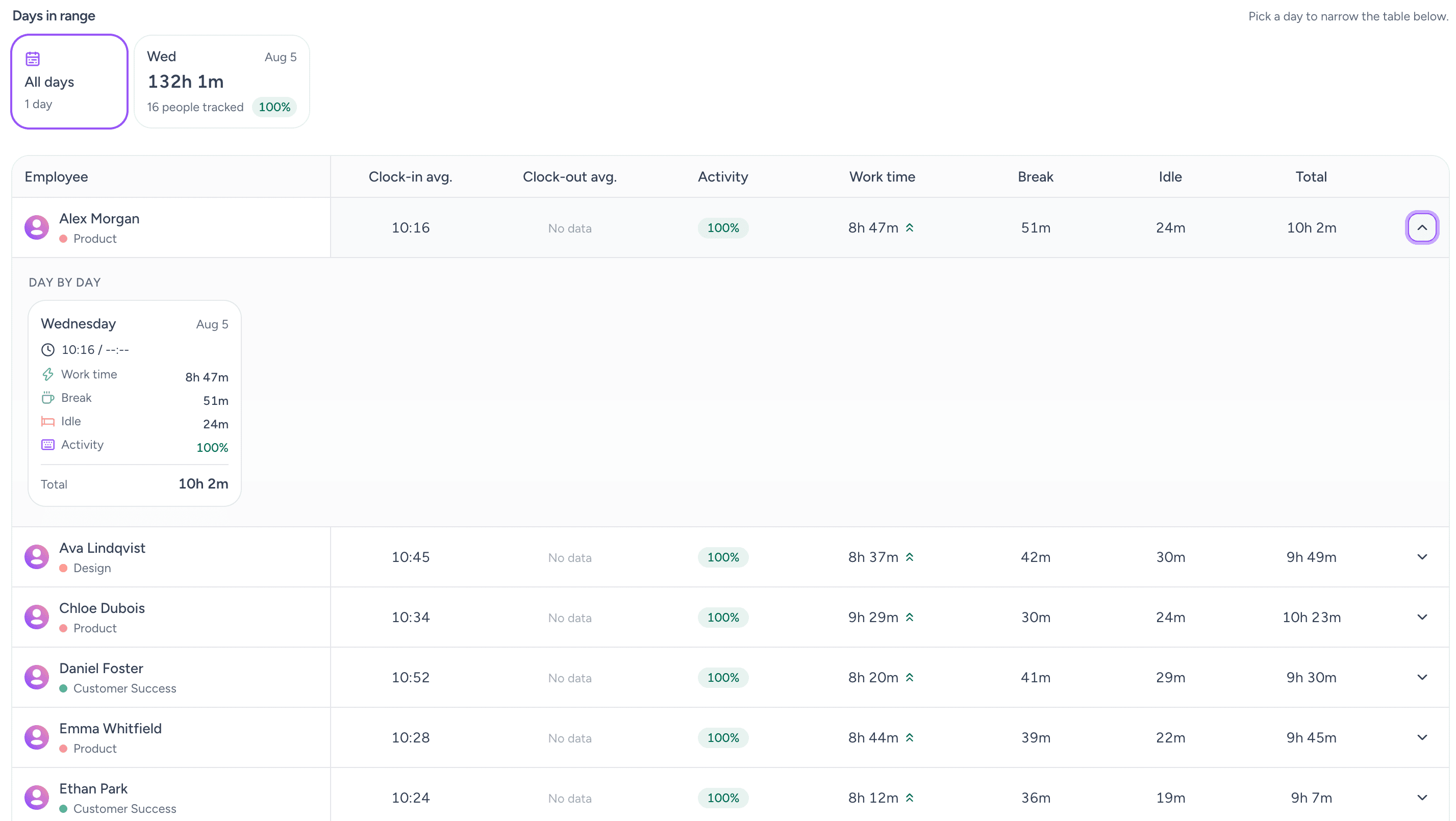
Worktivity shows you where the workday goes, when people do their best work and which habits slow the team down. Tracking stays visible, so employees understand what is measured and managers can trust the results.
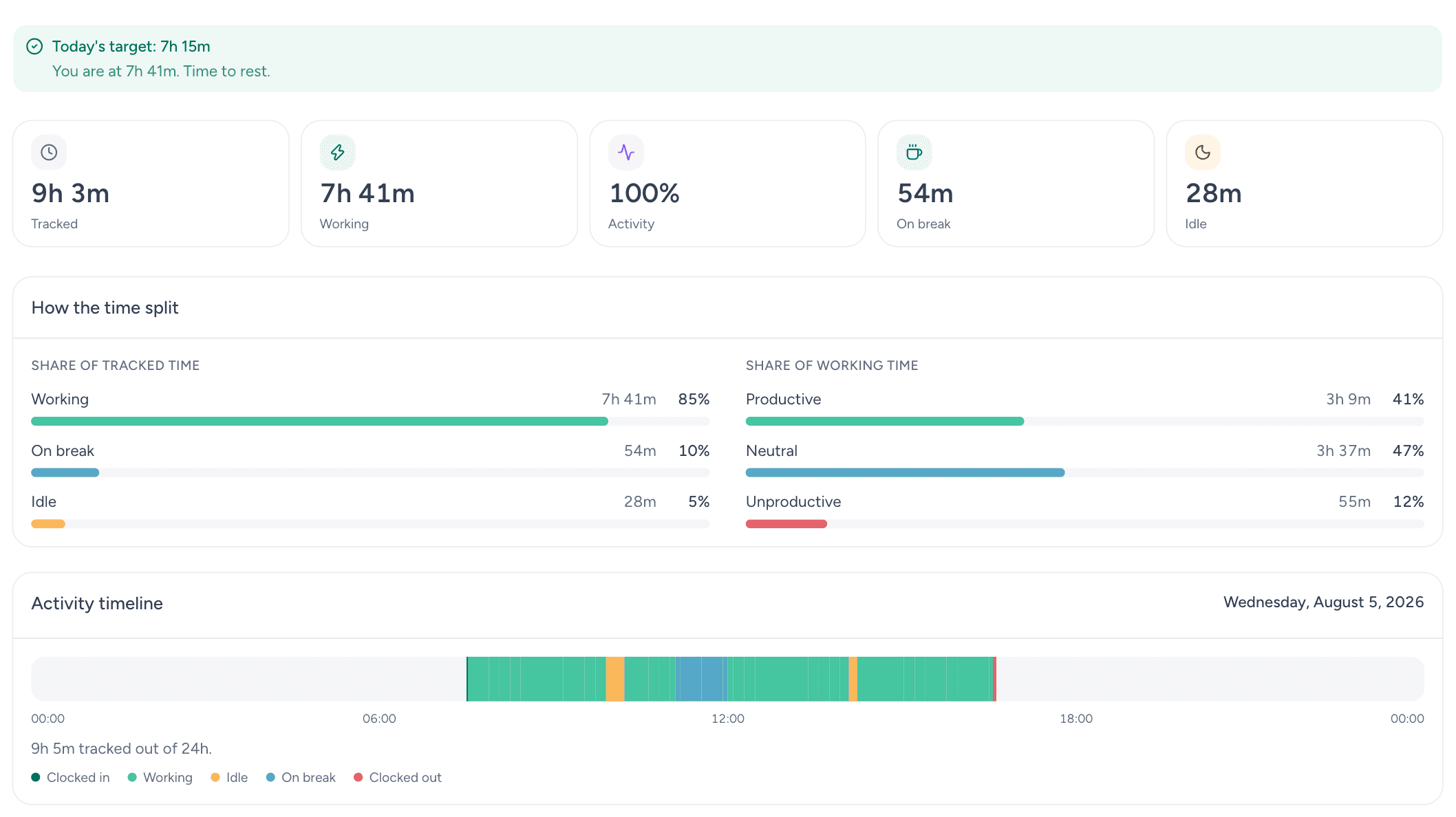
Worktivity dashboard showing tracked hours, activity levels and productivity trends for a team
15Employees
5Working
4On break
1Idle
Team activity
Focus trend
Robert JohnsonDesign Team
You are working now
hoursminutesseconds024523::
Take a BreakClock Out
Robert JohnsonDesign Team92%
PRODUCTIVITY+12%
Already trusted with millions of tracked minutes
200M+
Minutes tracked
60M+
Screenshots captured
250K+
Timelapses generated
10K+
Employees measured
Two models, one product
Start in the cloud today, or run it on your own servers.
Internative builds and runs Worktivity. Same product, same desktop agent, same reports: the only difference is where the data lives and who operates it.
SaaS
useworktivity.com
Self-serve plans with one monthly price per user. No setup fee, no long-term contract.
14-day free trial, no credit card required
Starter, Growth and Pro plans from $3.99 per user per month
AI credits for the Productivity Coach in every plan
Windows, macOS and Linux agents; live data within minutes
For organisations with strict security, data residency and compliance requirements: Worktivity runs on your server, Internative installs and operates it.
Time data, screenshots and reports never leave your network
Custom limits and dedicated support for large teams
Security review and flexible billing
Code-level adaptation: the team that builds the product does the install
Not sure which fits? We decide together on the discovery call; the product is the same in both.
Productivity Coach
An AI coach for everyone on the team
The Productivity Coach reads work patterns rather than keystrokes, then turns them into a plain-language report: where focus peaks, when burnout risk rises, and what is worth changing next week.
Signals from the desktop app, browser, apps, calendar, tasks and screenshots flow into the Productivity Coach, which turns them into one plain-language insight.
Desktop app
Browser
Apps
Calendar
Tasks
Screenshots
Coach insight
Deep focus peaks between 09:40 and 11:20. Protecting that window would add about 4 hours a week.
Features
Everything you need to measure real output
One lightweight agent feeds every report. Turn raw activity into decisions you can explain to your team and defend to your board.
Time that tracks itself
The desktop agent starts with the workday and logs every app, site and project on its own. Nobody has to remember a timer, and nobody rebuilds last week from memory on Friday afternoon.
Automatic start, stop and idle detection, so breaks never inflate a report.
Per-project and per-client totals that match what you invoice.
Keeps recording offline and syncs the moment the connection returns.
Every task, with the hours attached
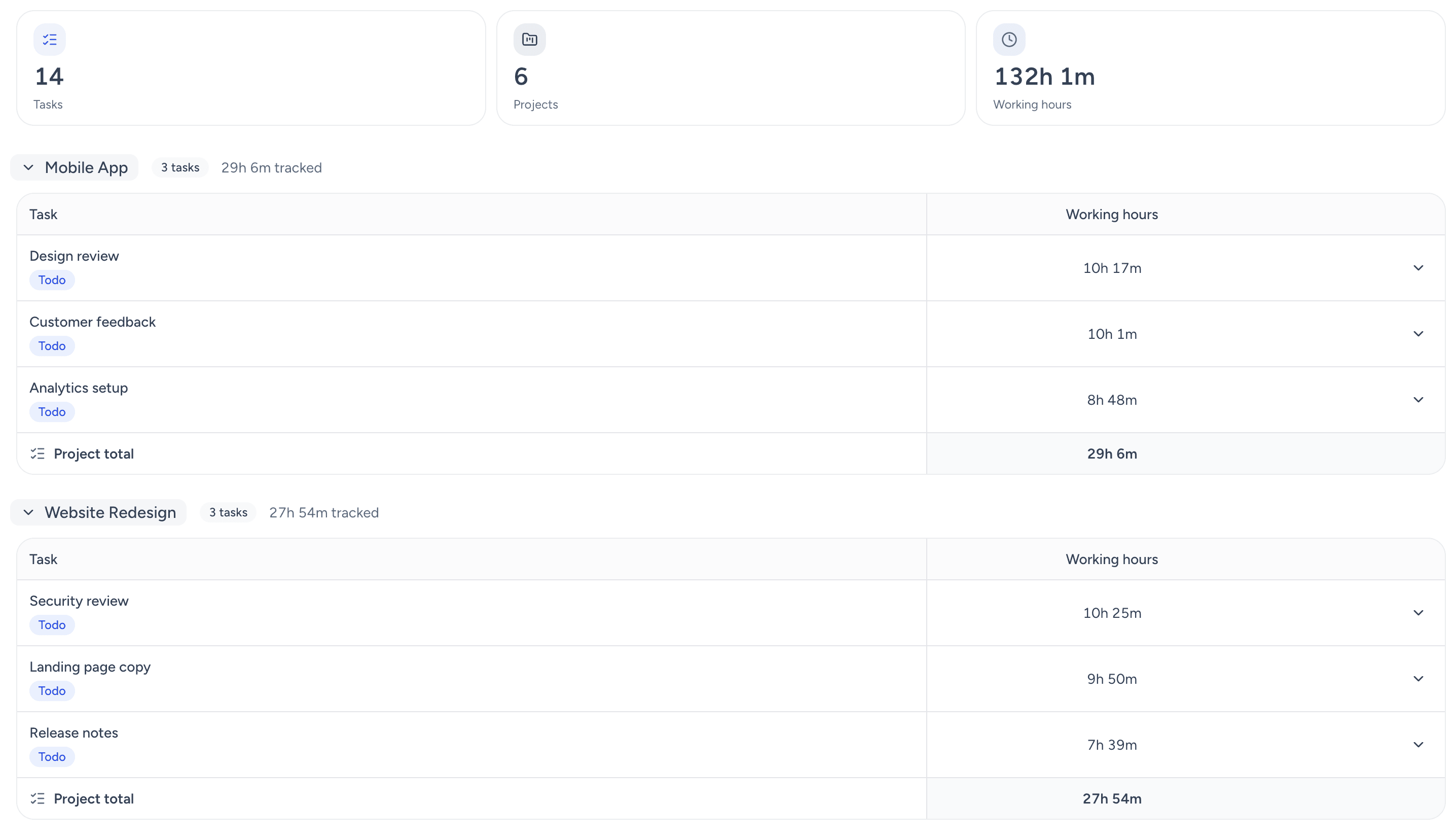
Assign work, watch it move, and see how long each item really took. Estimates and actuals sit next to each other instead of in two different tools.
Assign, prioritise and track tasks without leaving the activity data behind.
Estimated versus actual hours on every task, ready for the next planning round.
Board and list views, so managers and doers read the same status.
Productivity you can actually explain
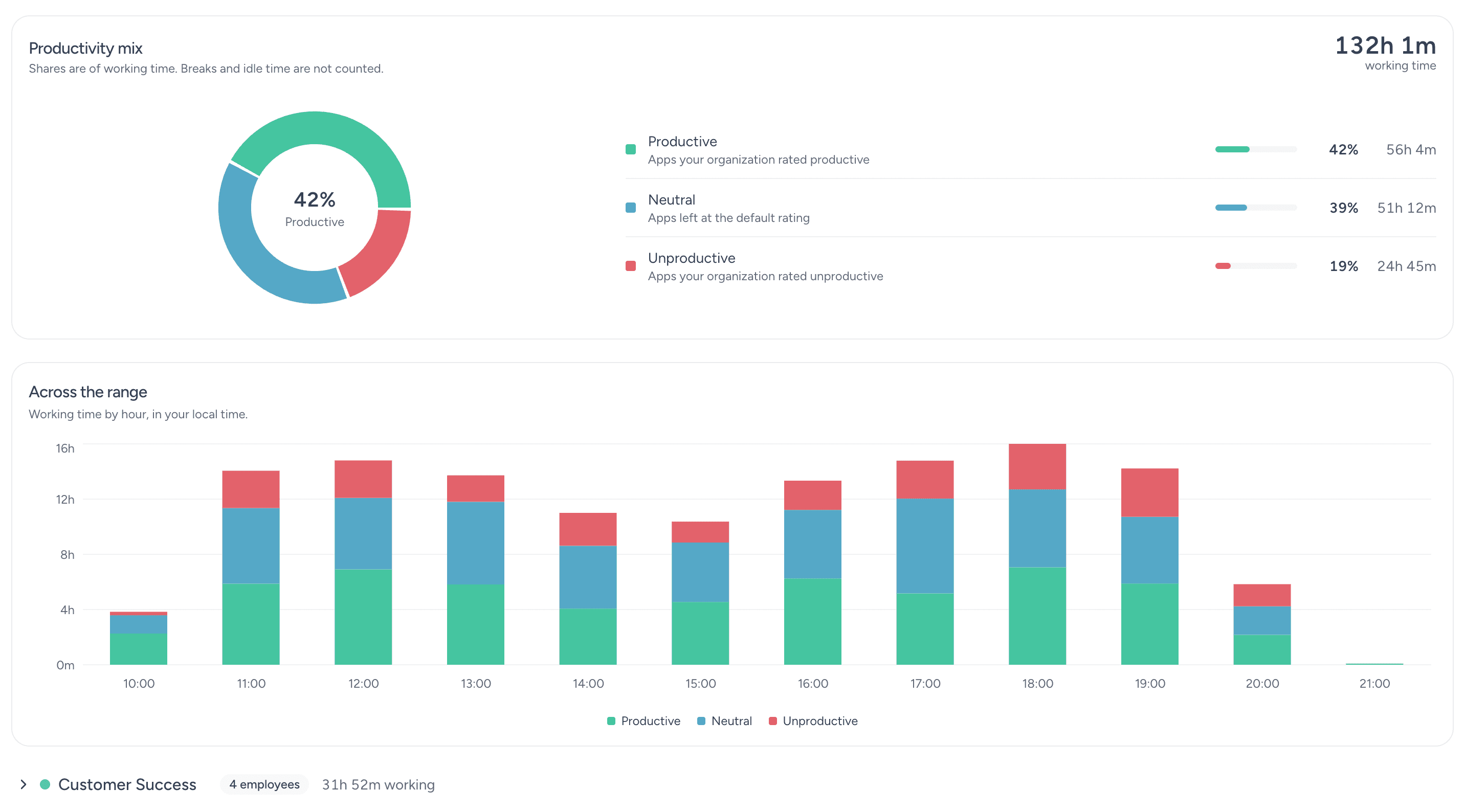
Apps and sites are scored as productive, neutral or distracting, so a low number always arrives with a reason and a next step attached.
Productive, neutral and distracting categories you define for your own team.
Live status for who is working, idle or on a break, updated as it happens.
Trends by person, team and period, so one bad day never reads as a pattern.
Proof of work your clients accept
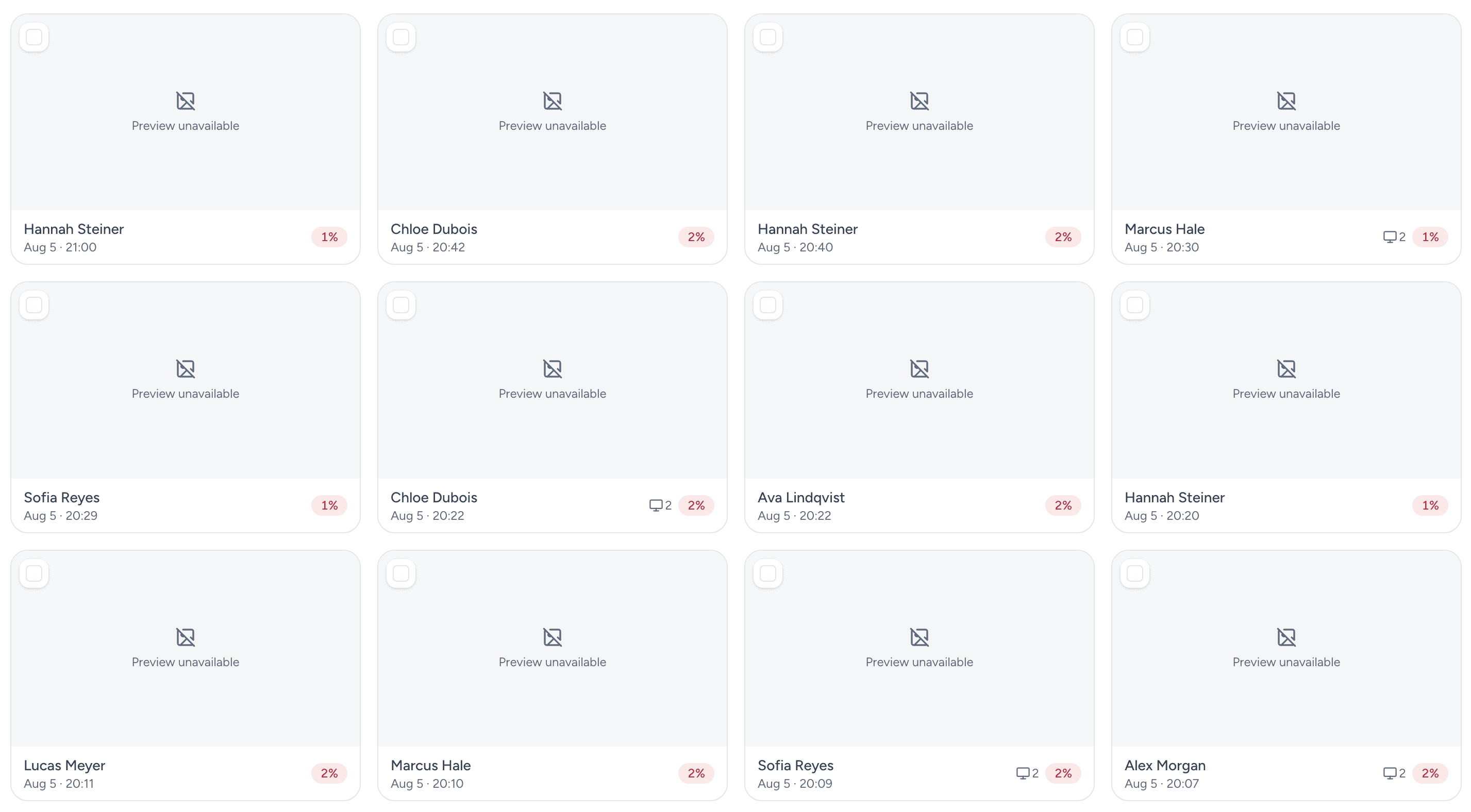
Periodic screenshots and timelapse videos turn a number into evidence. Useful for billing disputes and remote onboarding, and fully visible to the people being recorded.
Interval, blur and per-team rules you control, with employees always told what is captured.
Timelapse playback that compresses a full workday into a short review.
Retention limits, so old captures expire without anyone chasing them.
Timesheets that fill themselves in
Tracked activity rolls up into weekly and monthly sheets with regular hours and overtime, ready to hand to finance.
Weekly and monthly views that split overtime from regular hours automatically.
Manager approval flow, with an edit history behind every change.
CSV and Excel export that drops straight into your accounting.
All features
Productivity Coach
AI-powered analysis and coaching that helps you understand workload, work patterns and burnout risk.
Time Tracking
Record and review your team's working time without adding more manual work.
Task Tracking
Keep project progress and task assignments in one place so work stays clear and on schedule.
Productivity Monitoring
See how your team is working and find practical ways to improve daily workflows.
Productivity Analysis
Turn work data into clear insights that help you make better decisions.
Screenshots
Capture a visual timeline of productivity with our screenshot feature, providing valuable insights into task progress and performance.
Timelapse Videos
Capture dynamic visual summaries of work progress, providing valuable insights into project evolution and team collaboration.
Time Sheets
Make time records easier to review and use them for accurate payout calculations.
Payouts & Invoicing
Calculate payouts accurately and keep client billing clear from recorded work.
Review Apps
Gain insight into employee app and website usage, distinguishing productive from unproductive tools.
Free weekly summaries on every insights screen, plus coach reports, automatic labelling and scheduled reports.
Four things, none of them a chatbot
Weekly summaries
Work times, productivity, tasks, apps and advanced insights each open with a few sentences about last week: what moved, and who stood out. Free on every plan.
Coach reports
A written report on one person for a period you choose: workload, burnout signals, where the focused hours went, and what to do about it.
Automatic labelling
New apps and websites are classified as productive, neutral or unproductive so nobody has to sort a list of hundreds by hand.
Scheduled reports
Set the rule once: every Monday, this team, emailed to these addresses. If credits run short, nothing is ordered and you are told why.
GDPR compliant by design: employee names are masked before any request leaves Worktivity.
AI connections
Ask your own assistant about your team
Connect your Claude or ChatGPT account to Worktivity and ask in plain language: what the team did last week, which project ate the most time, who is on leave.
Worktivity speaks MCP, the protocol assistants use to reach outside tools. Nothing is pasted anywhere: you approve the connection by signing in, and you can end it whenever you like.
There is a chat screen in the panel too. Same questions, same role limits, nothing to link and nothing to install.
Off until you turn it on
No workspace gets this by surprise. Until an owner enables it, nobody can connect anything at all.
You choose who can connect
Owners only, owners and co-owners, managers as well, everyone, or a handful of named people. The choice can be widened or narrowed any day.
Cut a connection in one click
Owners see the connections approved in their workspace: who linked which assistant, with which role, and when it was last used. One button ends it. And every question asked about the workspace reaches the audit log, whichever connection it came from.
Every question leaves a trace
Each call is written to an audit log the owner reads in the panel: who asked, when, and which tool ran. The wording of the question itself is not stored.
Worktivity AssistantAs a manager
How is my team doing compared with last month?
Working hours held steady. Idle time dropped by a third, and Thursday was the quietest day of the week. Only your own team is in this answer.
Who is on leave next week?
Two people: Emma Whitfield (Monday to Wednesday) and Priya Nair (Friday). Both leave requests are approved and on the calendar.
Ask a question about your team...
Every question reaches the audit log: who asked, when, and which tool ran. The wording itself is not stored.
The connection belongs to the person, not to the workspace, so everyone links their own account. And it never widens what anyone can see: an employee gets their own data, a manager their own team, an owner the whole workspace. Exactly the same limits as the screens they already use.
How it works
Live data in under ten minutes
No consultants, no rollout project. Install, work, review.
01
Install the agent
Deploy the desktop agent on Windows, macOS or Linux, or invite your team to install it themselves. There is nothing to configure first.
02
Work as usual
Time, apps, tasks and optional screenshots are recorded in the background, always with visible indicators, so nobody is ever tracked in secret.
03
Review and improve
Open the dashboard for timesheets, productivity scores and AI reports, then fix the bottlenecks you can finally see.
The same in both models: the moment your account opens on SaaS, the moment the install completes on-prem.
Integrations
Works with the tools your team already uses
Keep time where the work happens. Connect Worktivity to your project stack, or build your own flow on the open API.
Open API
Asana
Trello
Zapier
ClickUp
Monday
Jira
Notion
Slack
AI assistants, over MCP
Connect your own Claude or ChatGPT account to Worktivity over MCP and ask about your team's work. It stays off until the organisation owner turns it on, and everyone sees only what their role already sees.
Use cases
Built for the way your team actually works
From a five-person startup to a distributed BPO floor, start from the setup closest to yours.
SME & SMB
Keep your business organized, productive and clear about where time goes.
Agencies
Enhance collaboration within your agency, ensuring successful client outcomes.
Remote Teams
Boost efficiency and collaboration within your remote team and drive efficiency.
Hybrid Teams
Optimize your hybrid work environment, fostering collaboration and productivity. For the team's channels and voice rooms on your own server, pair it with Lodge.
Startups
Fuel your startup's growth, streamline processes, and elevate team performance.
BPO & KPO
Track productivity by client and keep BPO or KPO work on course.
Technology Providers
Optimize operations and enhance productivity within your technology-focused organization .
CX & Contact Center
Optimize customer experiences and streamline contact center operations.
Reviews
What customers say
Feedback from teams running Worktivity every day.
There has been a significant improvement in my time management, allowing us to manage our projects more effectively. We no longer experience delays in project delivery timelines.
We had been using a similar tool for a long time, but the Worktivity interface is very user-friendly and the prices are competitive. I did not expect a platform bought on a trial basis to be this effective.
The suite offers a plethora of tools tailored to streamline tasks, enhance collaboration and offer insightful metrics into individual and team performance. The interface makes sure everyone can navigate it, tech-savvy or not.
I highly recommend Worktivity to anyone in search of efficient team and project management. It is a simple, intuitive and efficient solution.
It is an ideal solution for following what the team is working on, providing guidance in time management and optimising workflow.
I love it. Great product, and it took about ten minutes before the whole design team was up and running.
On-prem installation
The same Worktivity, on your server.
The same stack that runs in production is installed on your organisation's server; the desktop agents go out to your team. External services only where needed, and on your accounts.
What gets installed
One server, no containers: API and job runner (.NET), MongoDB, Redis
Web app and admin panel (Next.js), Nginx, PM2
Realtime server: live status and notifications
Windows, macOS and Linux desktop agents; browser extension
Screenshot and Timelapse pipeline, on your storage
Open API and MCP server: your own integrations and assistants
Optional connections
All opened on your accounts or connected to what you already run; the data stays on your server.
Email delivery: your existing SMTP server
S3-compatible object storage (such as MinIO) for screenshots and videos
Time data, screenshots, videos and reports stay on your organisation's server; the only thing on the internet is the panel address your team connects to.
Visible tracking
The agent shows an indicator while it runs; employees know what is recorded. You decide which tracking features are on.
Screenshot rules are yours
Interval, blur, per-team rules and retention limits are set from the panel; old captures expire without anyone chasing them.
Security review and support
A security review before the install, a dedicated support line and flexible billing; updates are planned and applied by Internative.
On SaaS you start today. On-prem, the path is this:
01
Discovery
Team size, tracking rules, integrations and compliance requirements are mapped together.
02
Sizing
Server and storage needs are sized to the user count and the screenshot policy.
03
Installation
The stack is installed on your server; SMTP, storage and project tools are connected.
04
Pilot
A pilot with one team first: tracking rules and the screenshot policy are tuned on real data.
05
Agent rollout and training
Desktop agents go out to the team; admins and team leads are trained on the panel.
06
Operations support
Updates, backups and support are operated by Internative.
Price and timeline by proposal, based on user count; the discovery call is free.
FAQ
Frequently asked questions
Internative's. It was built in-house by our product, design and engineering teams; it is live as SaaS at useworktivity.com and operated by Internative.
The product is the same. On SaaS the data lives on Worktivity's infrastructure, you pay monthly per user and start today. On-prem the same stack is installed on your server, the data never leaves your network, and the price is set by proposal based on user count.
No. The agent shows an indicator while it runs and employees know what is recorded. You set the screenshot interval, blur and retention rules, and you can turn any tracking feature off at any time.
The desktop agent runs on Windows, macOS and Linux; the panel opens in the browser. There is also a browser extension and a mobile app.
One server is enough: the API and job runner, MongoDB, Redis, the web app and the panel run on the same machine without containers. Storage for screenshots and videos is sized to the user count and the retention period.
Yes. The Productivity Coach and the other AI features run on your own OpenAI key; with the MCP server you can connect your own Claude or ChatGPT account.
Asana, Trello, ClickUp, Monday, Jira, Notion, Slack and Zapier connections are ready; with the Open API you build your own flow. On-prem, integrations run on your accounts.
Yes. Because Internative is the team that builds Worktivity, on-prem installs can be adapted at code level in reports, rules and integrations; the scope is set on the discovery call.
See where your team's time actually goes
For SaaS, start the 14-day free trial at useworktivity.com. For on-prem, fill in the form and we will schedule the discovery call.
Internative: since 2017, 100+ enterprise clients, 400+ projects.
Request an on-prem quote
Tell us your team size and the tool you use today; we will come back with the install scope and a quote.